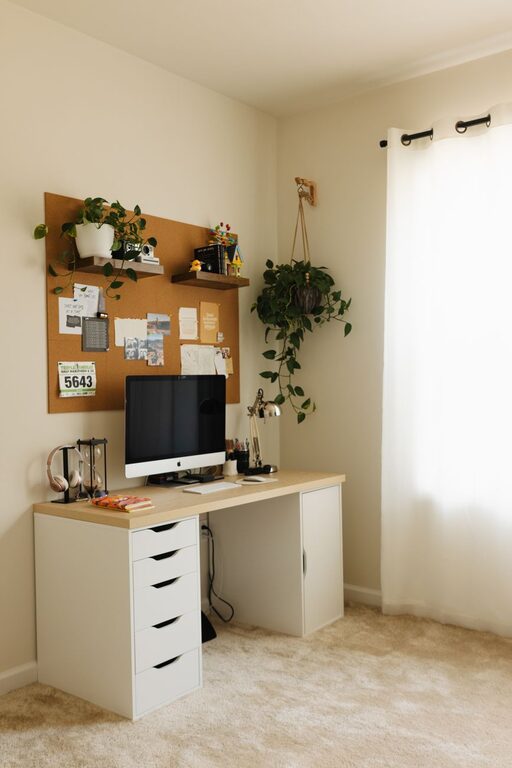
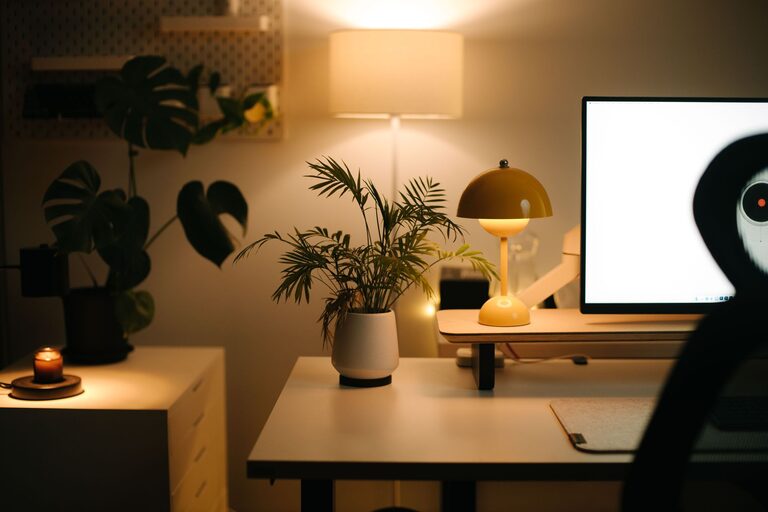
Creating a productive home workspace is essential for anyone working or studying from home. A well-designed area can improve focus, reduce distractions, and increase comfort, helping you get more done with less stress. Whether you have a dedicated room or just a small corner, these tips will help you set up a space that works for you.
Choose the Right Location
Finding the best spot in your home for a workspace is the first step. Ideally, pick a quiet area away from heavy foot traffic, noise, and distractions like the TV or kitchen. A separate room with a door is best, but if that’s not possible, a corner with some privacy can also work.
Consider natural light when possible. A workspace near a window can boost your mood and energy levels. If natural light is limited, make sure to have good artificial lighting that reduces eye strain.
Invest in Comfortable and Ergonomic Furniture
Comfort plays a big role in productivity. Invest in a good-quality chair with proper lumbar support to prevent back pain. Your desk should be the right height to keep your arms at a 90-degree angle when typing.
An ergonomic setup helps avoid discomfort and fatigue, keeping you focused longer. Adjustable chairs, desks, and monitor stands can help tailor your workspace to your body’s needs.
Organize and Declutter Your Space
A tidy workspace can significantly improve concentration. Use shelves, drawers, and organizers to keep everything you need within reach but out of sight. Keep only the essentials on your desk to minimize clutter.
Cable management tools can help keep cords neat and prevent distractions. Regularly tidy up your workspace at the end of each day to maintain a calming environment.
Personalize Without Overdoing It
Adding small personal touches like plants, artwork, or photos can make your workspace inviting and uplifting. Plants, in particular, improve air quality and add a splash of color.
However, avoid overcrowding your desk with too many items. The goal is to create an environment that feels comfortable and inspiring without being distracting.
Set Up Technology Smartly
Make sure your computer, printer, and other devices are set up efficiently. Use a high-speed internet connection for smooth video calls and online work.
Noise-canceling headphones can help block distractions, especially if you live in a busy household. Use a second monitor if your work requires multitasking, as it can increase productivity.
Establish Boundaries and Routines
Working from home can blur the lines between personal and professional life. Set clear boundaries by defining work hours and sticking to them.
Communicate your schedule to household members to minimize interruptions. Create a morning routine that helps you transition into work mode, like having breakfast, dressing comfortably but professionally, or organizing your tasks for the day.
Use Task Management Tools
Keeping track of your to-dos and deadlines is easier with task management apps or planners. Tools like Trello, Asana, or simple to-do lists can help you prioritize and organize your work.
Break large projects into smaller tasks and set realistic deadlines to avoid feeling overwhelmed.
Keep Healthy Habits in Mind
Don’t forget to take breaks. The Pomodoro Technique—working in focused 25-minute intervals followed by a 5-minute break—is a popular method to stay refreshed throughout the day.
Stretch regularly, stay hydrated, and consider quick exercises or walks to boost circulation. These habits support both your physical health and mental clarity.
Regularly Refresh Your Workspace
Your needs and work style may change over time. Periodically review and adjust your workspace layout, decor, and tools to ensure it keeps serving you well.
A fresh workspace can reignite motivation and creativity.
—
By applying these tips, you can create a home workspace that not only helps you stay productive but also supports your well-being and work-life balance. Start small, make gradual improvements, and enjoy the benefits of a workspace designed just for you.
About the Author